
Download Zeabur AI – AI‑Powered Deployment Troubleshooter for Developers
Overview
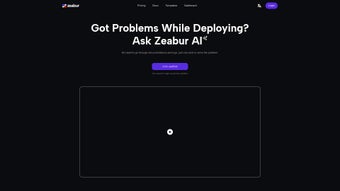
Zeabur AI is a web‑based, AI‑driven platform that reimagines the way developers and DevOps teams handle deployment failures. In traditional pipelines, a single broken build can trigger hours of manual log inspection, endless forum searches, and costly downtime. Zeabur AI eliminates that friction by offering a single‑click, natural‑language interface that ingests error logs, environment details, and runtime messages, then instantly surfaces the most probable root cause along with a step‑by‑step remediation plan.
The service is currently in a public‑beta phase, allowing early adopters to shape the product roadmap through direct feedback channels such as Discord, Twitter, and an in‑app survey. By leveraging a continuously trained large‑language model, Zeabur AI stays up‑to‑date with the latest container orchestration patterns, cloud‑native runtimes, and serverless frameworks. For teams that prioritize rapid iteration, continuous delivery, and minimal mean‑time‑to‑recovery, this tool can shave days off the debugging cycle, turning a painful bottleneck into a streamlined, almost automated step in the CI/CD workflow.
Security is baked in: all data is encrypted in transit, processed in an isolated sandbox, and deleted immediately after analysis, ensuring that proprietary code never lingers on external servers. Whether you are troubleshooting a Docker container that crashes on start, a Kubernetes pod that fails health checks, or a serverless function that returns obscure error codes, Zeabur AI promises a faster, more confident path to resolution.
Key Features
Zeabur AI packs a rich set of capabilities designed to address the full lifecycle of deployment troubleshooting. The platform’s core strength lies in its ability to understand natural language descriptions of problems, match them against a massive corpus of known error patterns, and generate actionable recommendations tailored to the specific stack in use. Below you will find a detailed feature list that highlights why this tool stands out among conventional log‑analysis utilities.
- One‑Click Diagnosis: Drag‑and‑drop a log file or paste raw error output and receive a prioritized list of likely causes within seconds.
- Natural‑Language Interaction: Describe issues in plain English; the AI translates the request into technical insight without requiring you to craft complex queries.
- AI‑Generated Fix Recommendations: Context‑aware, step‑by‑step remediation instructions that consider your specific framework, runtime version, and deployment environment.
- Version‑Aware Analysis: Automatic detection of framework, library, and runtime versions to avoid outdated or incompatible suggestions.
- Secure Data Handling: End‑to‑end TLS encryption, sandboxed processing, and automatic deletion of raw logs after the analysis completes.
- Collaboration Tools: Export reports to PDF or Markdown, generate shareable links, and embed diagnostics directly into tickets or documentation.
- Continuous Model Updates: Weekly AI model refreshes keep the knowledge base aligned with the latest cloud‑native patterns and error signatures.
- API Integration: A RESTful endpoint lets you programmatically submit logs from CI/CD pipelines and retrieve diagnostics in JSON format.
- Cross‑Platform Accessibility: Works from any modern browser on Windows, macOS, Linux, Android, and iOS, with a responsive UI optimized for mobile devices.
- Community‑Driven Knowledge Base: A searchable repository of resolved cases, searchable by error code, symptom, or technology stack.
Together, these features create a seamless experience that empowers both seasoned engineers and newcomers to quickly identify and fix deployment issues without diving deep into obscure documentation or spending endless hours on trial‑and‑error debugging.
Installation & Usage Guide
Zeabur AI is delivered as a fully managed SaaS solution, which means there is no traditional installation or client‑side software to maintain. All you need is a modern web browser (Chrome, Edge, Firefox, or Safari) and an internet connection. The onboarding process is intentionally straightforward to get you diagnosing issues within minutes.
- Request Early Access: Visit the official Zeabur AI landing page, enter your email address, and click “Request Early Access.” You will receive a welcome email containing a unique access token.
- Create a Secure Account: Follow the link in the email, set a strong password, and enable two‑factor authentication (2FA) to protect your workspace.
- Dashboard Overview: After logging in, you’ll see a clean, card‑based dashboard with a prominent “New Diagnosis” button, recent reports, and a live chat widget for instant support.
- Run a Diagnosis: Click “New Diagnosis,” then either drag‑and‑drop a log file or paste the raw error output into the text field. Optionally add contextual metadata such as the CI tool (GitHub Actions, GitLab CI) and deployment target (AWS ECS, GCP Cloud Run).
- Interact with the AI: In the chat‑style interface, type a brief description like “My Kubernetes pod crashes with Exit Code 137.” The AI will parse the logs, cross‑reference known patterns, and present a concise diagnosis.
- Apply Recommendations: Follow the AI‑generated steps—e.g., “Increase container memory limit to 2 GB” or “Add a liveness probe.” Re‑run the deployment to verify that the issue is resolved. If problems persist, you can ask follow‑up questions without re‑uploading the logs.
- Share & Export: Use the “Share Report” button to generate a secure, time‑limited link for teammates, or download the report as a PDF or Markdown file for archival.
- Provide Feedback: After each session, a short survey appears. Rate the usefulness of the suggestions, flag inaccuracies, and suggest new features. Your input directly influences the next model update.
Because the service runs entirely in the cloud, you never need to manage local dependencies, update libraries, or allocate compute resources for the AI engine. All updates are seamless, and the platform automatically adopts the latest knowledge base as soon as the weekly model refresh is published.
Zeabur AI’s universal compatibility stems from its browser‑first design. It supports:
- Desktop OS: Windows 10/11, macOS 12+ (Monterey), and major Linux distributions with a recent browser.
- Mobile OS: Android 9+ and iOS 13+ (Safari or Chrome).
- Any CI/CD environment capable of exporting logs (Docker, Kubernetes, Serverless, Jenkins, GitHub Actions, GitLab CI, CircleCI, etc.).
For organizations with strict security policies, Zeabur AI also offers an optional on‑premise gateway that routes traffic through a private network, ensuring that logs never leave the corporate firewall while still benefiting from the AI’s diagnostic power. The gateway complies with ISO 27001, SOC 2, and GDPR standards, providing peace of mind for enterprises handling sensitive data.
Pros, Cons & Frequently Asked Questions
Pros
- Instant, one‑click diagnosis reduces mean‑time‑to‑resolution dramatically.
- Natural‑language interface makes troubleshooting accessible to non‑experts.
- Secure, encrypted processing guarantees confidentiality of proprietary logs.
- Weekly AI model updates keep recommendations current with industry trends.
- Cross‑platform accessibility via any modern browser eliminates device lock‑in.
- Collaboration features (shareable links, PDF/Markdown export) streamline team workflows.
- Active community and feedback loops accelerate product improvements.
Cons
- Beta status means some edge‑case errors may not yet be recognized.
- Requires an internet connection; offline debugging is not possible.
- Focused solely on deployment‑related issues; does not replace full‑stack debugging tools.
- Potential latency spikes during peak usage periods.
- Post‑beta pricing tiers have not been publicly disclosed.
Is Zeabur AI free during the beta phase?
Yes. Early‑access participants can use Zeabur AI at no cost while the platform remains in public beta. After the official launch, a tiered pricing model—including a free tier with limited daily diagnoses—will be introduced.How does Zeabur AI protect my confidential log data?
All data is transmitted over HTTPS with TLS 1.3 encryption. Logs are processed in an isolated sandbox and automatically deleted after the analysis completes. No raw logs are stored unless you explicitly export a report.Can Zeabur AI be integrated into my CI/CD pipeline?
Absolutely. Zeabur AI provides a REST API that lets you programmatically submit logs and retrieve diagnostics, making it easy to embed automated troubleshooting steps into GitHub Actions, GitLab CI, Jenkins, or any custom pipeline.Which deployment technologies does Zeabur AI support?
The AI model has been trained on a broad spectrum of environments, including Docker, Kubernetes, AWS ECS/Fargate, Azure Container Instances, Google Cloud Run, serverless platforms (AWS Lambda, Azure Functions, Google Cloud Functions), and traditional VM‑based deployments. New technologies can be added through community feedback.Is Zeabur AI usable on mobile devices?
Yes. Since the platform is browser‑based, you can access it from any modern mobile browser on Android or iOS. The responsive UI adapts to smaller screens, allowing you to upload logs and receive instant recommendations on the go.Conclusion & Call to Action
Zeabur AI is poised to become an essential ally for developers and DevOps teams that value speed, security, and simplicity in the deployment lifecycle. By harnessing artificial intelligence, it eliminates the tedious manual slog of sifting through endless logs, enabling you to focus on building features rather than firefighting. The early‑access program not only gives you a free, high‑impact tool today but also grants you a seat at the table as the product evolves. If you’re ready to transform how you troubleshoot deployments, join the waitlist, start a conversation on Discord, and experience the future of AI‑assisted debugging.
Ready to accelerate your deployments? Sign up for early access now and let Zeabur AI do the heavy lifting for you.
Pros: Rapid one‑click diagnosis, secure data handling, cross‑platform accessibility, continuous AI updates.
Cons: Beta limitations, internet‑only requirement, focus limited to deployment issues.






